Presentations (Slides)
Create presentations from chat, use templates, and export to PowerPoint
Slides lets you create and refine presentations from chat. When slide mode is on, the model can generate and edit slides using the built-in Slides tool. You can start from a template saved under Profile Settings → Account → Slide templates, or let the model choose structure and styling from your prompt alone.
Turning on slides in chat
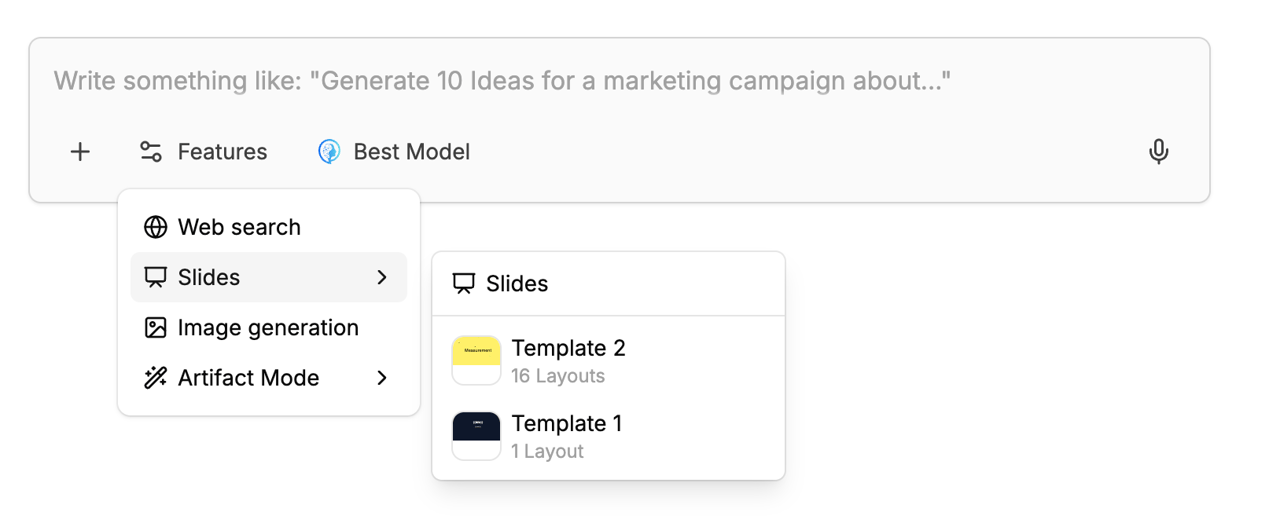
In the "+" menu of the chat input area (see Chat input area), open Slides:
- Select Slides until it shows a checkmark. The model receives the built-in Slides tool and can add or change slides for your prompt.
- Below it, your saved templates appear as a list. Pick one from the list, or leave none selected — then just describe topic, audience, and structure, and the model picks layout and content freely. Click a selected template again to clear it.
- When a template is selected, it's used as the starting point once you send; the first message then includes extra structured instructions for the model.
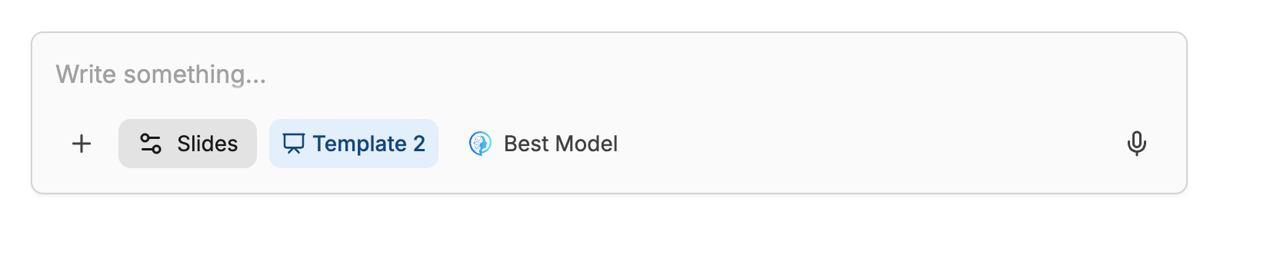
After you pick a template, a chip with the template name appears next to the input actions; click it to clear the selection.
Templates in settings
Note
Slides is a workspace feature. If neither the Slides menu in the chat input nor Profile Settings → Account → Slide templates is visible, the feature isn't enabled for your workspace. Ask your workspace admin or MeinGPT support to turn Slides on.
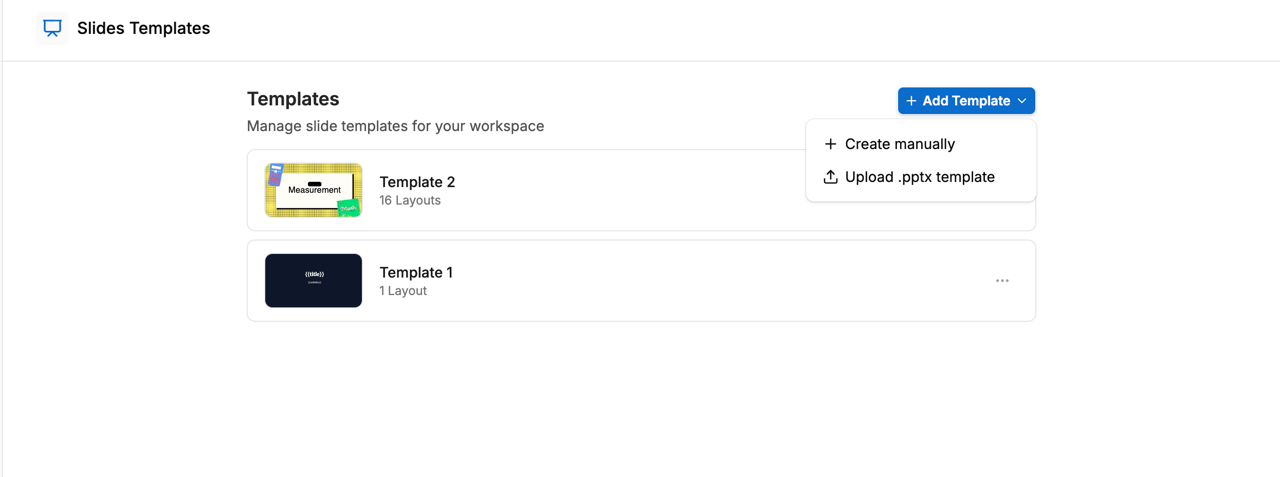
Open the avatar menu at the bottom left of the sidebar, choose Profile Settings, then Slide templates under Account in the left navigation. This is not the admin area Settings. Here you manage your own templates and the shared workspace library:
- Add template → Create manually creates an empty template with a first layout; open it in the editor to design slides.
- Add template → Upload .pptx imports a PowerPoint file into the internal slide model (layouts become reusable template slides) so you and the model can build on them.
Each template has a ⋯ menu for edit, rename, duplicate, move between Shared and Private, and delete. In the editor you maintain layouts (slides that belong to the template): backgrounds, text, shapes, images, tables, and charts.
In the template editor you set per slide how the model may treat it. The setting is in the Format tab under Template behavior; it appears when no element on the slide is selected:
- Use in generated decks: Required or Optional layout. The model cannot remove required slides. Optional layouts are candidates: the model is instructed to use only the ones it needs and remove the rest.
- AI editing: Editable or Fixed. The model leaves fixed slides unchanged (content, background, and notes), for example a title slide with a logo or legal notices. If a slide should also never be dropped, mark it as required as well.
With no setting, the first slide is required, all other slides are optional layouts, and every slide is editable.
Templates for assistants and workflows
You can attach a slide template to an Assistant or to a workflow step. Every chat with that Assistant, or every run of that workflow, then starts from the template, so nobody has to pick it in the chat first.
- Assistant: In the Assistant editor, turn on the Slides tool under Tools → Basic Tools. The Slide template field appears below it; choose the template there. If you turn the tool off again, the template is removed.
- Workflow step: In the step, do the same as in chat: in the + menu, turn on Slides and pick a template below it. Only one step per workflow can use Slides.
A template attached this way is automatically shared with everyone in your workspace.
The workflow output format Presentation (PowerPoint) is a separate mechanism: it generates the file from the workflow's text result and doesn't use these slide templates.
Storyline skill
Slides ship the skill presentation-storyline: before the AI builds slides, it clarifies audience and goal, picks a fitting structure (e.g. recommendation first for executives) and writes each slide title as its key message. The skill is available as long as slides are active in the chat.
Edit, present, and export
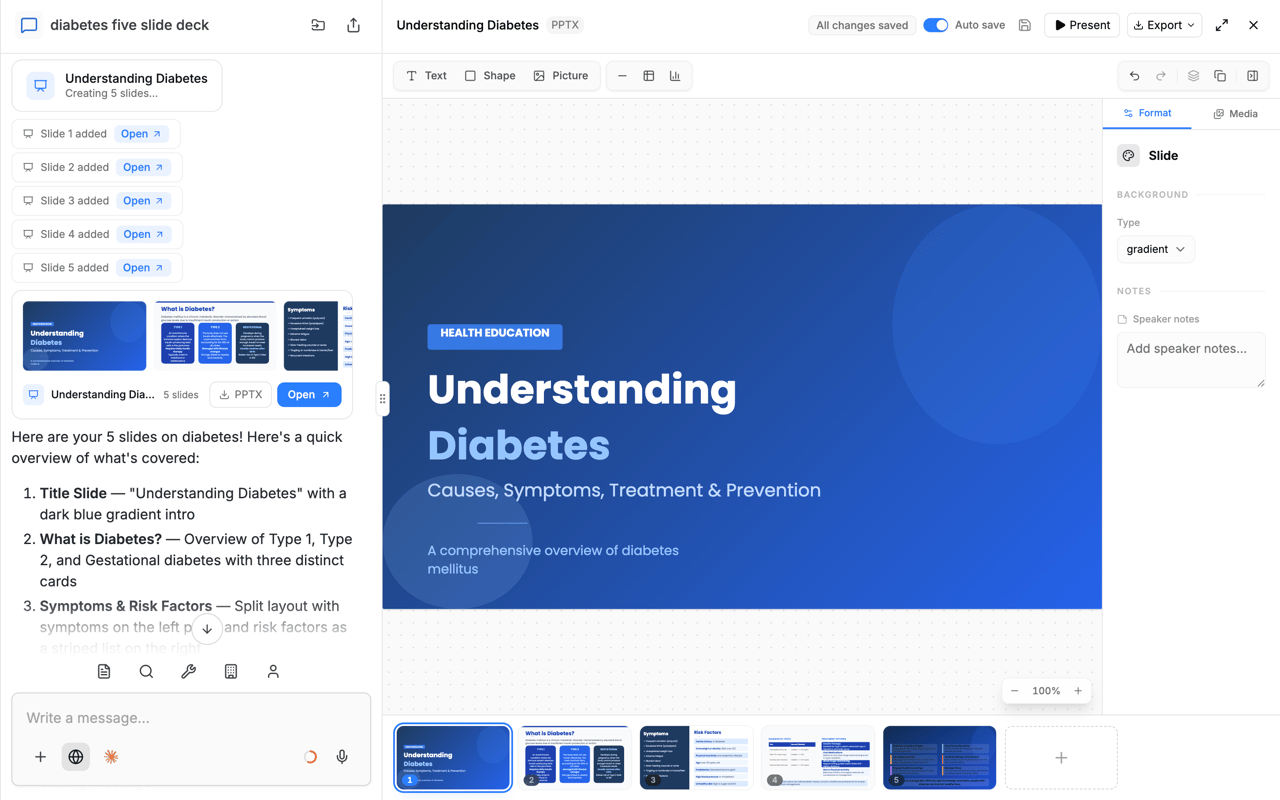
When the model produces slides, they appear as a slides artifact in the thread. From there you can open the inline editor, use present mode, and export:
- PPTX — native (editable in PowerPoint) — structured slides for editing in Microsoft PowerPoint or compatible apps.
- PPTX — as images (matches screen) — slides rasterized to match on-screen appearance; usually less editable at object level.
- PDF may also be available depending on the UI.
Very advanced PowerPoint features may differ after import or export; simple layouts and common fonts generally behave best.
Quick flow
Open the chat tools menu and turn on Slides.
Optionally pick a template, or leave none selected and describe the deck in your prompt.
Send your message; iterate in chat or in the editor as needed.
Maintain templates under Profile Settings → Account → Slide templates; export from the slide view in chat.