Quick Start
Note
Welcome to the MeinGPT platform – your comprehensive AI solution for efficient business processes and creative support. The platform offers you a variety of tools that help you complete everyday tasks faster. Whether for image generation, text creation, translation, or analysis – MeinGPT supports you in numerous application areas.
The AI Chat: Your Interactive Assistant
In the AI Chat, the heart of the platform, you can interact directly with artificial intelligence. Whether you're asking questions, developing ideas, or researching information – the AI Chat provides you with quick answers and valuable support in real-time. Through optimized language processing, the AI delivers precise answers and responds flexibly to your requests.
Chat

In the chat area, you can direct your questions and requests directly to the AI and receive immediate answers. Simply enter your question in the text field and press "Enter". The AI is designed to give you precise and contextual answers – whether you need brief information, creative suggestions, or detailed explanations.
Note
Practical tip: Use the chat for real-time interactions – to develop ideas, research information, create creative texts, or work through tricky questions. Thanks to natural language processing, the AI adapts flexibly to your style along the way.
Response Adjustments

After each AI response, you have the option to refine it using the response adjustment shortcuts. Choose "More precise" to make the response more focused, or "More detailed" to get additional information. With "More formal" you can adjust the tone, while "Improve" optimizes the response.
Note
When this pays off: The shortcuts save you time when you're preparing a response for a specific audience or adjusting it for a formal document. That way you can try different versions of a response without having to rephrase the question.
File Upload

You can upload file types (such as .pdf, .docx, or .txt) directly via the icon to have them analyzed or summarized by the AI. Click on the file icon to select a file. The AI processes the content and provides you with a compact summary or analyzes specific sections based on your input.
Note
Worth knowing: File upload pays off especially for comprehensive texts or technical reports. Have the AI summarize key points from meetings, research reports, or long documents instead of working through them by hand.
Model Selection
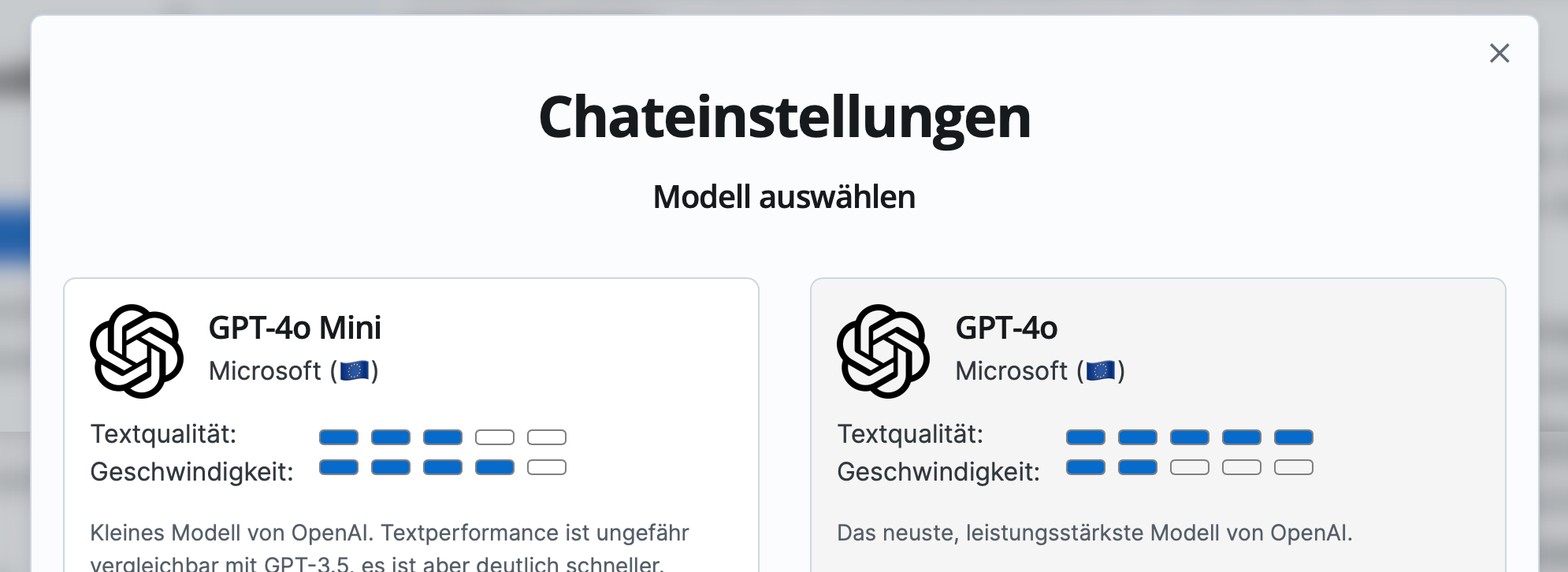
You can access the model selection via the model icon in the chat input field, where the name of the currently selected model is shown. There you can choose the appropriate model from all available AI models. Each model is described with information about text quality, speed, and the model's special strengths, allowing you to make the optimal choice for your requirements.
You can find all currently available models here.
Note
Why it matters: Because the models differ in their strengths, you pick the right one for the task – a model with strong language design for creative work, a fast one for concise business answers.
Platform Components Overview
The MeinGPT platform is divided into the following core areas: