Universal Search
Find everything on the platform with Cmd+K or Ctrl+K: chats, assistants, workflows, prompts, apps, projects and settings — in one search.
One search for everything
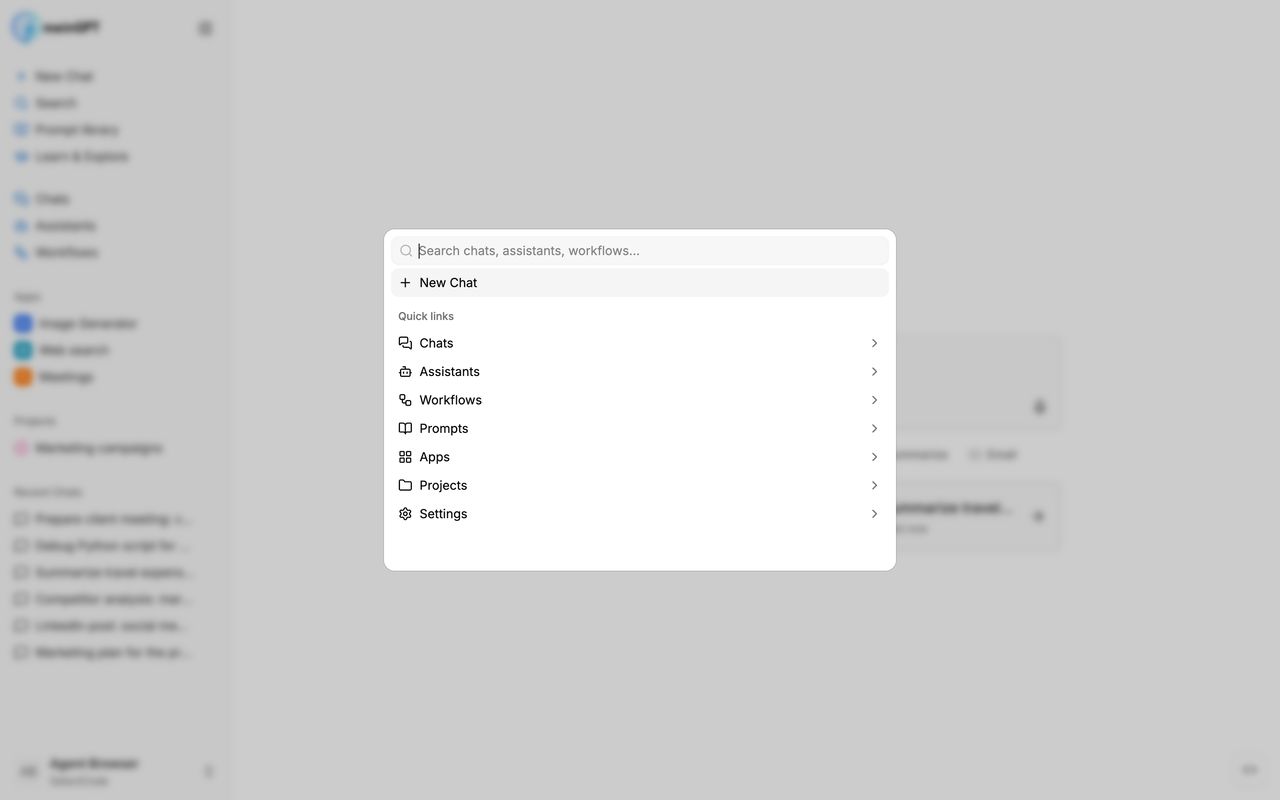
Universal search is the fastest way to move around the MeinGPT platform. Press Cmd + K (Mac) or Ctrl + K (Windows/Linux) — no matter where you are — and search chats, assistants, workflows, prompts, apps, projects and settings from a single place. Alternatively, open the search via the Search entry in the sidebar.
What gets searched
As soon as you start typing, MeinGPT searches all areas at once and groups the results by category:
| Category | What is searched |
|---|---|
| Chats | Titles and message content — you can rediscover older conversations using a keyword from the conversation itself |
| Assistants | Name and description |
| Workflows | Name and description |
| Prompts | Titles of prompts from the prompt library |
| Apps | App name |
| Projects | Project name |
| Settings | Settings pages, e.g. language, members or data sources |
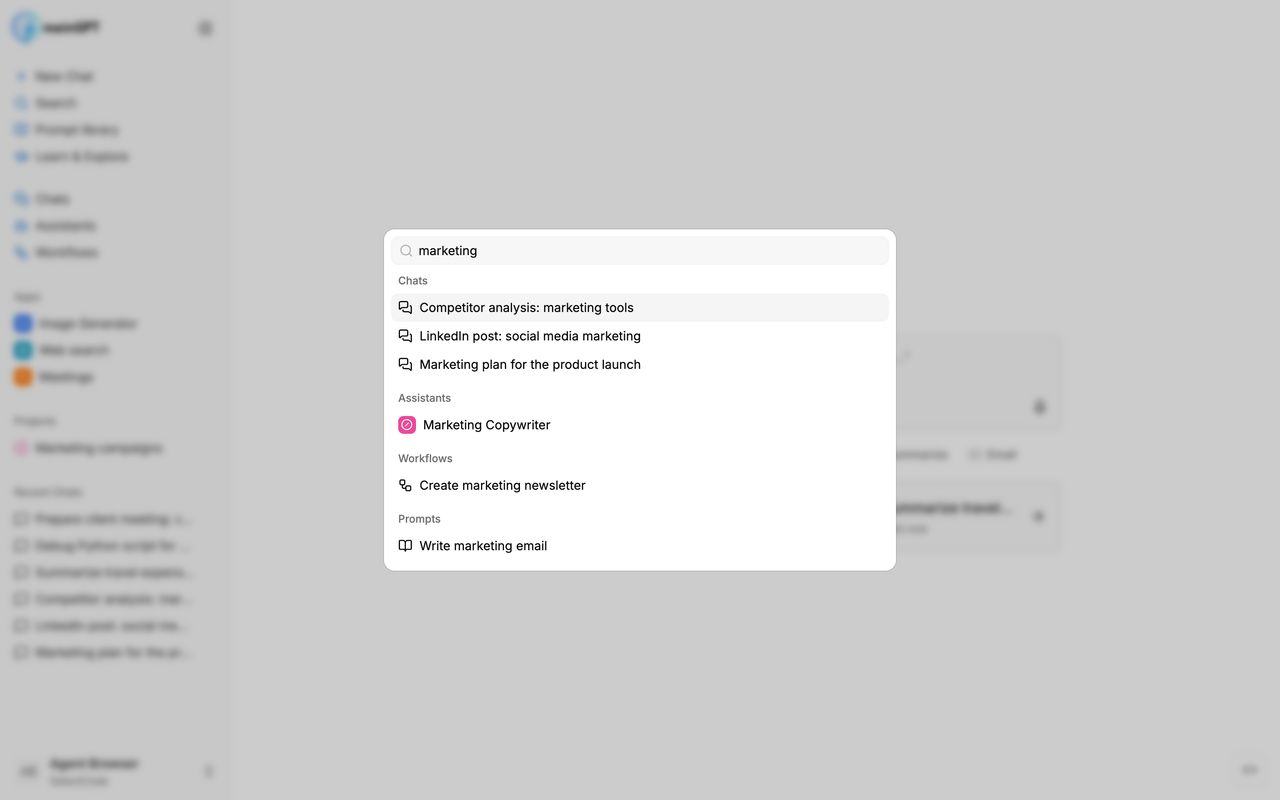
You only see content you actually have access to: your own chats, plus assistants, workflows, prompts and projects that have been shared with you.
Note
Especially handy for chats: because message content is searched as well, you don't have to remember the title of a conversation — a keyword from the conversation is enough. Chat search covers your conversations from the last year.
Refine your search terms
For chat search you can steer your input with operators — including in combination:
- Multiple words narrow the search: only chats containing all terms are shown (
quote customer). - Exclude with
-:contract -terminationfinds chats about contracts but excludes those that contain "termination". - Or with
|:quote | invoicefinds chats containing either term.
Minor typos are tolerated anyway — custmer or recipie still finds the matching chats.
Note
These operators apply to chat search — both in universal search and on the Chats page.
Find and filter documents
From two characters on, universal search also looks for files in your data sources — by words in the file name, across every Cloud data source you have access to. Each hit shows its source, folder, last-changed date and, when the file contains text, its first lines.
Below the search field, three filters narrow the document search:
| Filter | Choice |
|---|---|
| Source | one or more of your data sources |
| File type | PDF, documents, spreadsheets, presentations, text & web, images |
| Date | last changed within the last 7 days, 30 days or 12 months |
Filters apply together. Reset filters clears all of them at once. The date follows the change date the source reports — a file without one is left out while a date filter is set.
Note
The search matches the beginnings of words in the file name: tract does not find "Framework contract 2026.pdf", frame does. Outpost data sources do not appear here — search them in a chat.
Quick links and categories
Without a search term, the search shows quick links to all categories plus a New Chat entry that starts a new conversation right away.
When you open a category, your search is scoped to that area only — for chats, for example, you'll first see your most recent conversations to browse through. Use the breadcrumb navigation at the top to return to the global search.
Results are directly actionable
A hit in universal search is more than a link — depending on the category, the right thing happens immediately:
- Chat: opens the conversation right where you left off
- Assistant: starts a new chat with that assistant
- Workflow: opens the dialog to run the workflow
- Prompt: inserts the prompt text directly into your chat input
- App, project or setting: navigates to the respective page
Full keyboard control
The search can be used entirely with the keyboard:
| Key | Action |
|---|---|
| Cmd + K / Ctrl + K | Open search |
| ↑ / ↓ | Navigate through results |
| Enter | Open the selected result |
| → | Open the highlighted category (when the search field is empty) |
| ← or Backspace | Back to the global search (when the search field is empty) |
| Esc | Close the search |