Connect Make MCP Server
Step-by-step guide to connecting Make.com as an MCP Server with MeinGPT
This guide shows how to connect a Make.com MCP Server with MeinGPT to execute Make scenarios directly from an assistant.
Note
In this guide we set up a simple HTTP Request use case as an example — but of course you can do much more.
Setup
Create an assistant and add the Make tool
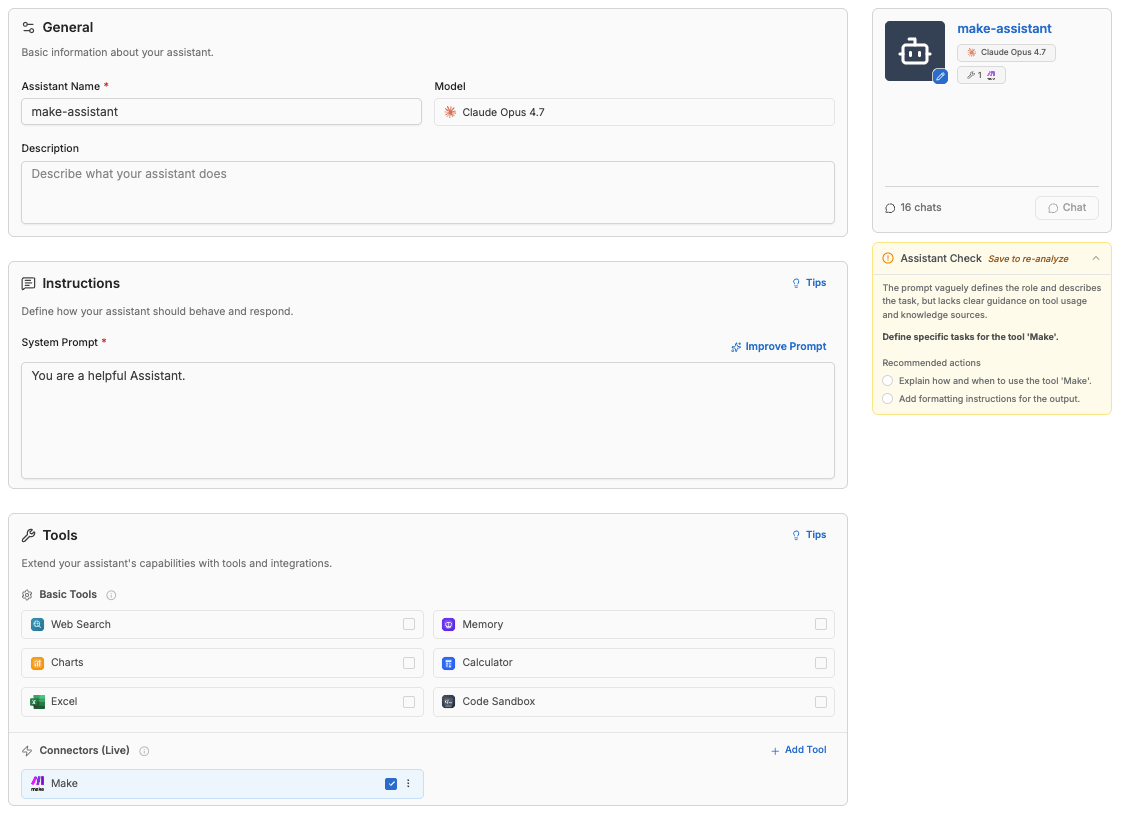
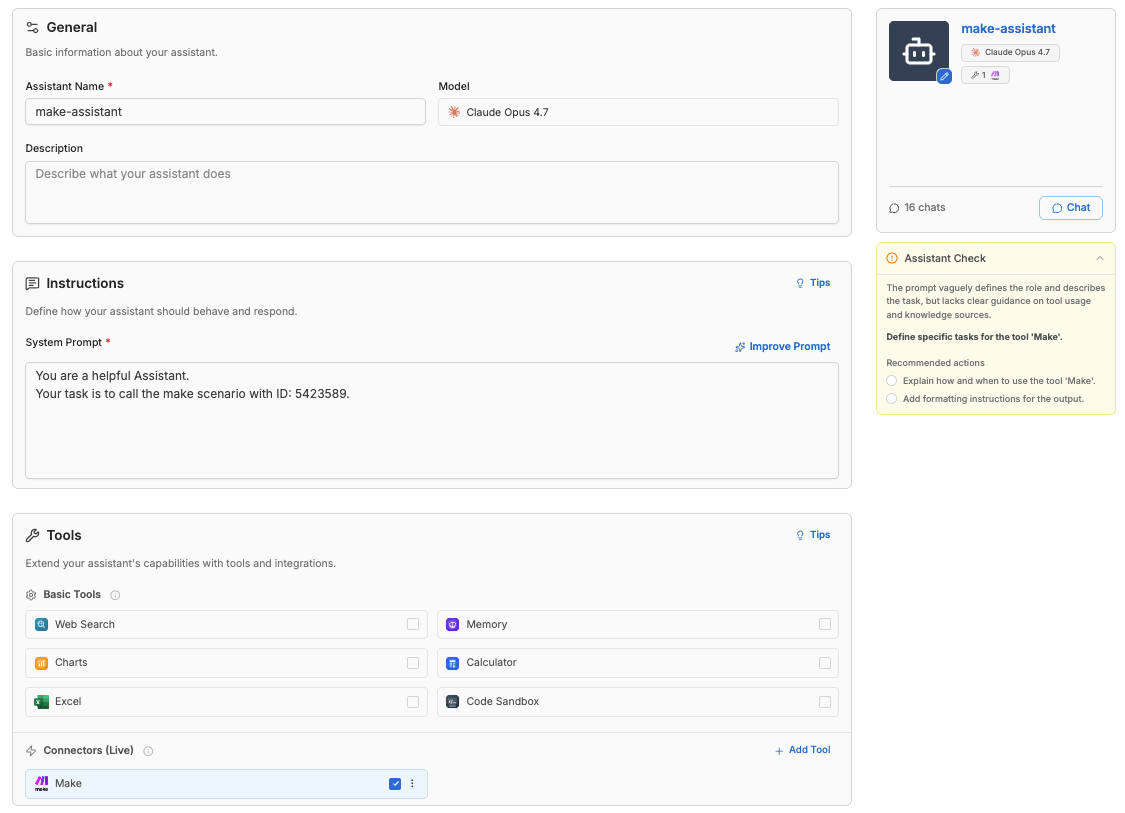
Create a new assistant in MeinGPT and add the Make tool under Connectors (Live).
Create a scenario in Make
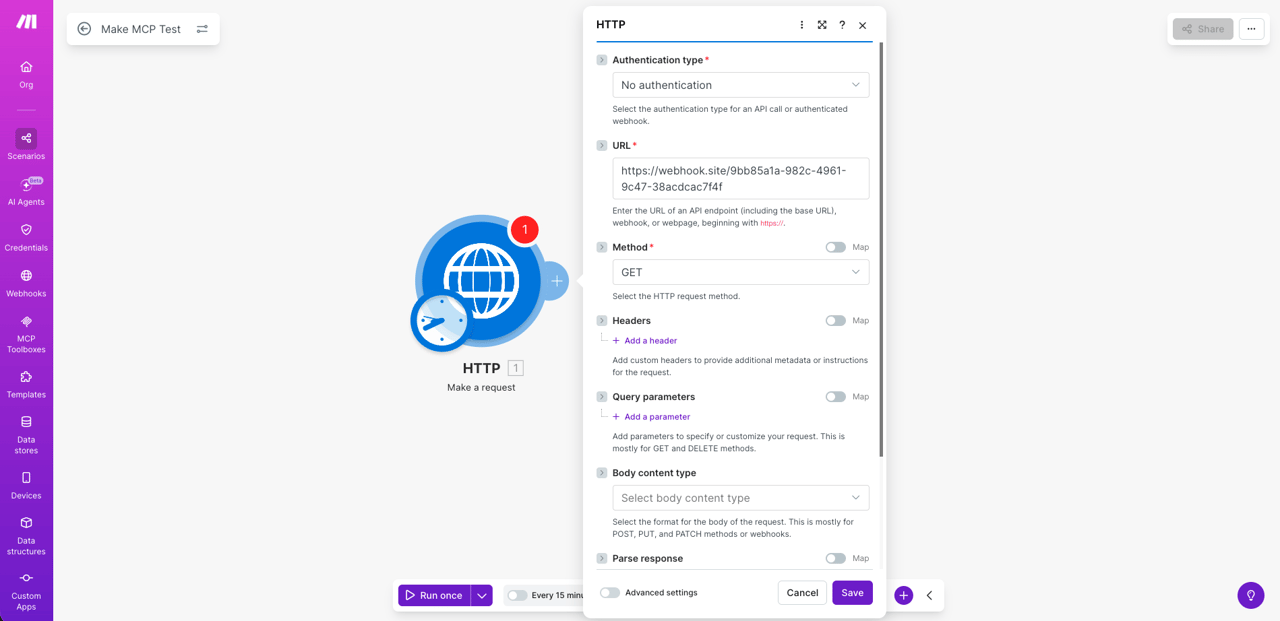
Create a new scenario in Make.com and add the HTTP Request module. In this example, we are using a webhook URL. Select the appropriate authentication type and click Save.
Set the scenario to 'On demand'
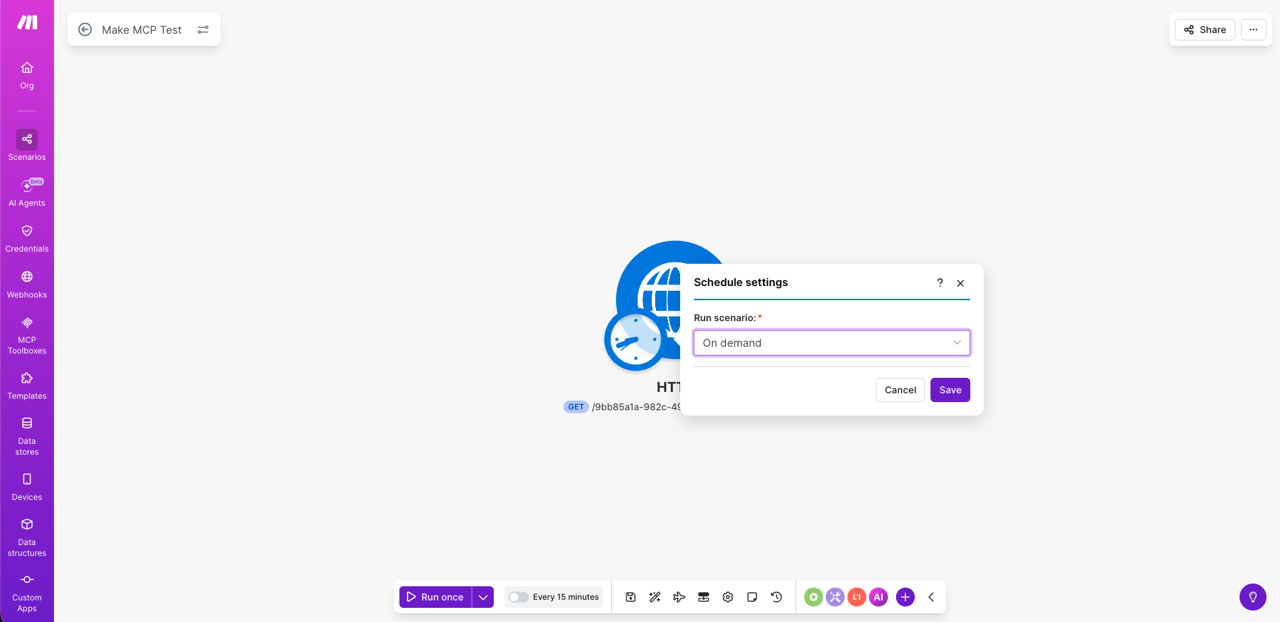
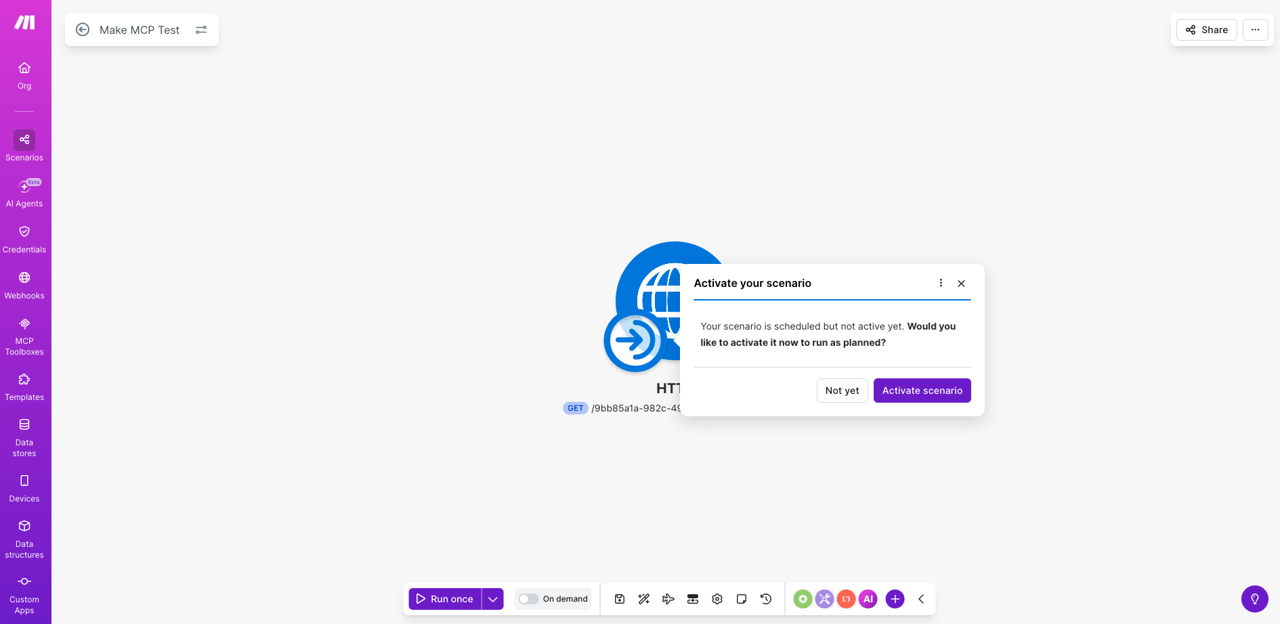
Click on the Every 15 minutes tab at the bottom of the editor and change the schedule settings to On demand. Then activate the scenario.
Copy the scenario ID
Copy the scenario ID from the URL. It is located after scenarios/ in the address bar (e.g., 5423589).

Update the system prompt (recommended)
Update the assistant's system prompt with the scenario ID so that the assistant can easily find the scenario. Then save the assistant.
Authenticate the Make connection
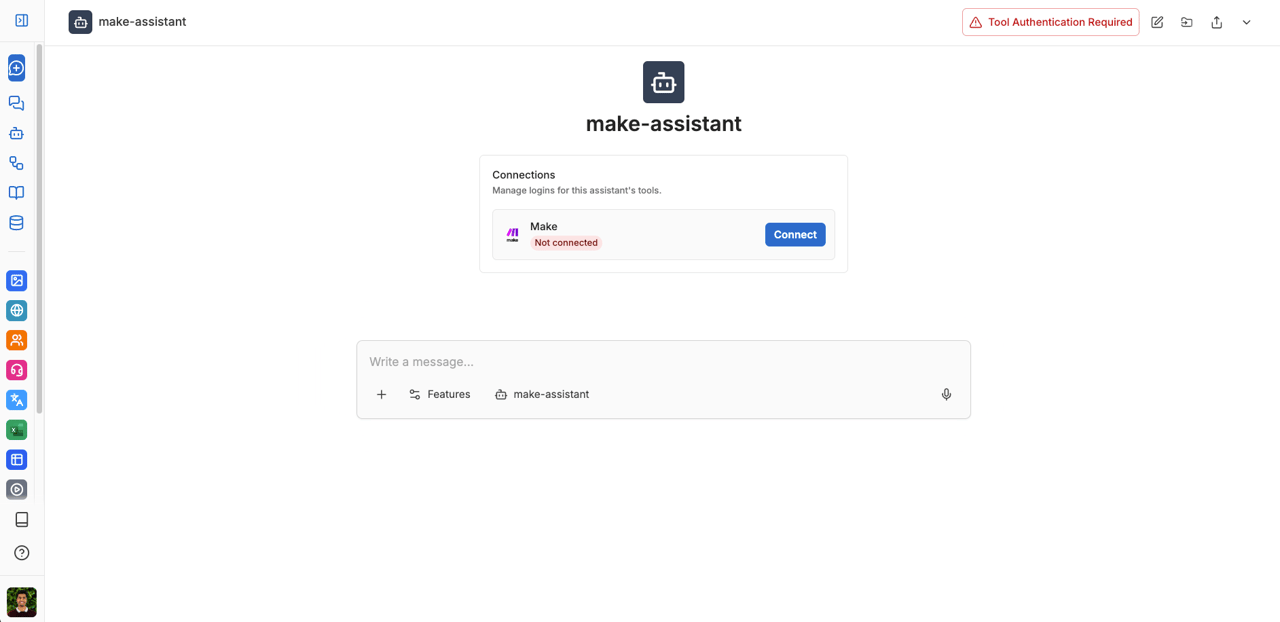
Open the chat with the assistant. You will be prompted to authenticate the Make connection. Click Connect.
Allow permissions in Make
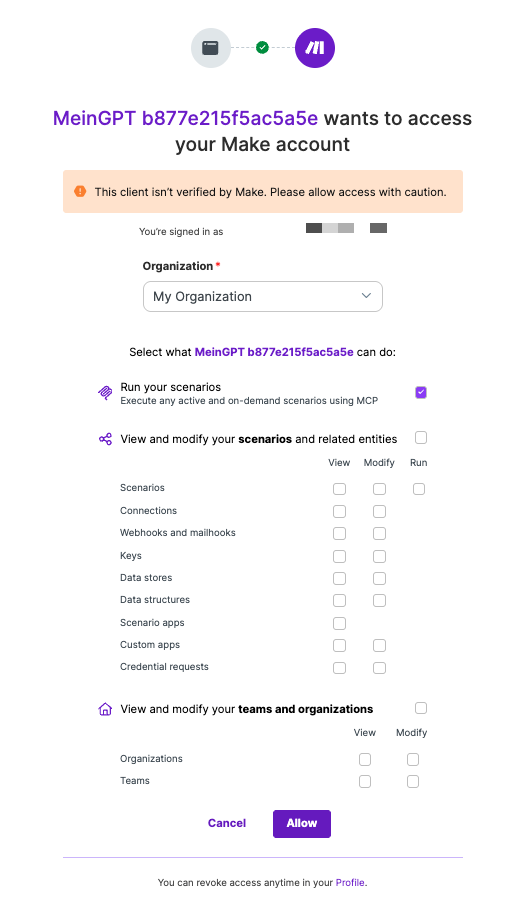
Select your organization in Make and allow the required permissions.
For this HTTP Request example, only the Run your scenarios permission is required. Depending on your use case, you may need to grant additional permissions.
Connection established
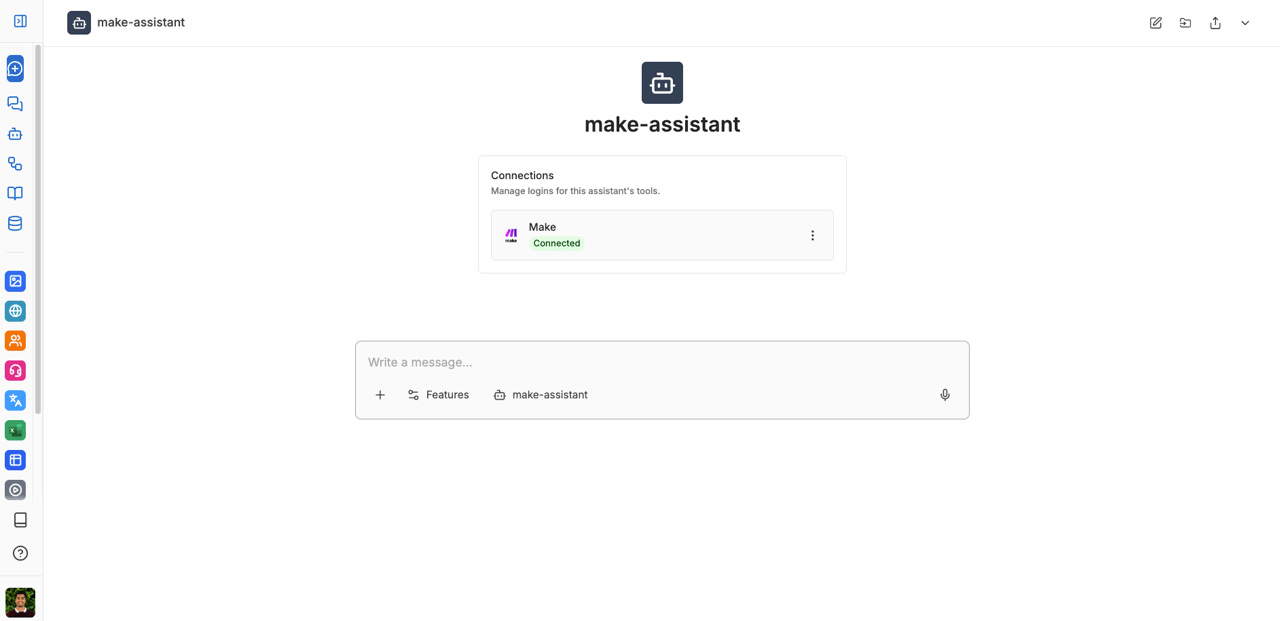
After successful authentication, the connection will be displayed as Connected.
Calling the scenario
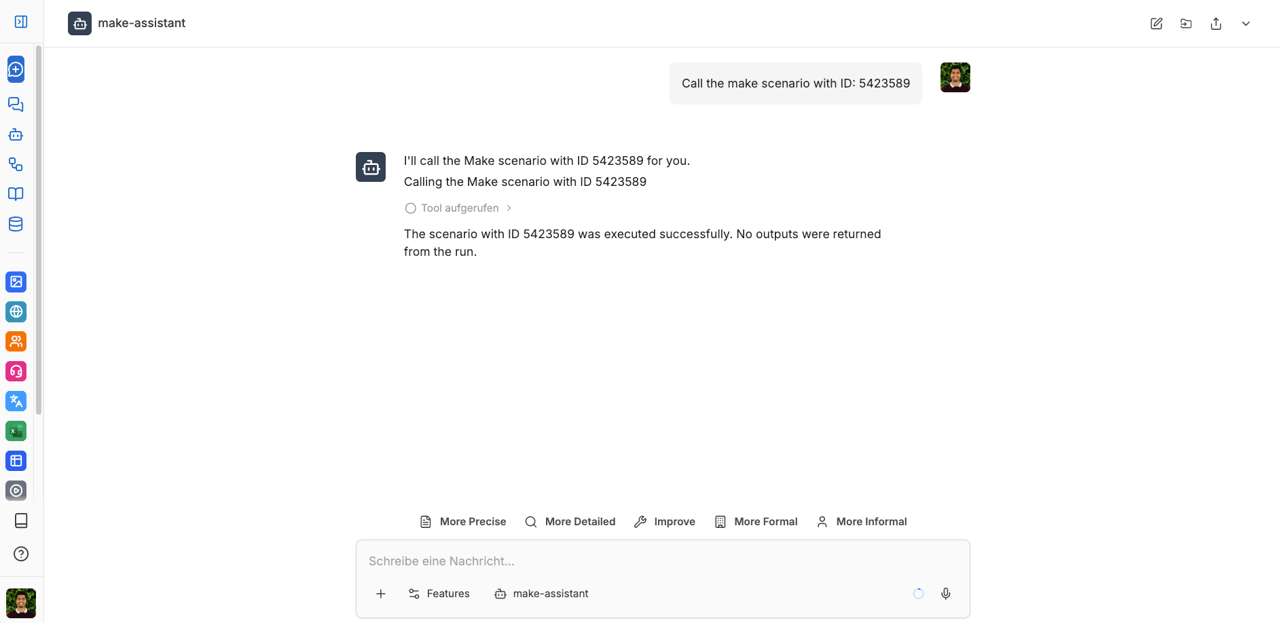
Once the connection is established, you can call the Make scenario directly in the chat. The assistant will execute the scenario via the MCP connection.
Note
The assistant can only run existing, activated scenarios by their scenario ID. It cannot create or edit scenarios in Make - you always build the scenario yourself in Make.com first.
Connection when sharing an assistant
If you share the assistant with colleagues, each person authenticates their own, separate Make connection — just like the initial connection in step 6. The connection is tied to that person's MeinGPT account, not to the assistant itself.
This means:
- Each person can connect their own Make account (even from a separate Make Team), independently of other users' connections.
- One person's connection does not expire or get replaced just because another person connects the same assistant in their own chat.
- If one person's connection drops, it does not affect anyone else's connection.
Note
Under Settings → Connectors you can check at any time whether your personal Make connection still shows as Connected.
Troubleshooting
Warning "Some tools could not be loaded"
If this warning appears under a chat response and names Make (for example "Failed tools: Make"), the Make connection could not be loaded when the request started. Check first:
- Open Settings → Connectors and make sure Make shows as Connected. If it shows "Not connected", click Connect and sign in again; select your Make organization in the Make consent screen and allow the permissions again.
- Send a new message in a new chat. The warning is evaluated per message.
If the warning stays after you have reconnected, the sign-in is usually not the cause. MeinGPT skips an MCP server when it takes longer than 30 seconds to respond, advertises more than 100 tools, more than 1 MB of tool definitions, or very extensive tool descriptions. If only individual tool definitions are rejected, those tools are left out and the server's other tools still load. In either case contact support with your organization name, the approximate time and a link to a chat with the warning. The details are listed under Custom MCP Server – Troubleshooting.