SMB share
Connect a Windows or Samba share to a MeinGPT data source.
An SMB share (also CIFS, "network share", Samba) is the usual place where documents live in mid-sized networks. The Outpost reads it like a local folder — provided the operating system has mounted the share permanently first.
Only with your own Outpost
Only an Outpost can read SMB: it is a protocol on the local network, not reachable from the cloud.
There is no dedicated connection type for SMB
The Outpost does not connect to a file server itself using host, user and password — that option once existed in the web interface, but has since been removed there: there was no credentials form and no technical link to the machine, so a source created that way would never have received any files.
Mount an SMB share as described below instead, and treat it afterward like any other folder on the machine.
Mount the share in the operating system
Set up the mount
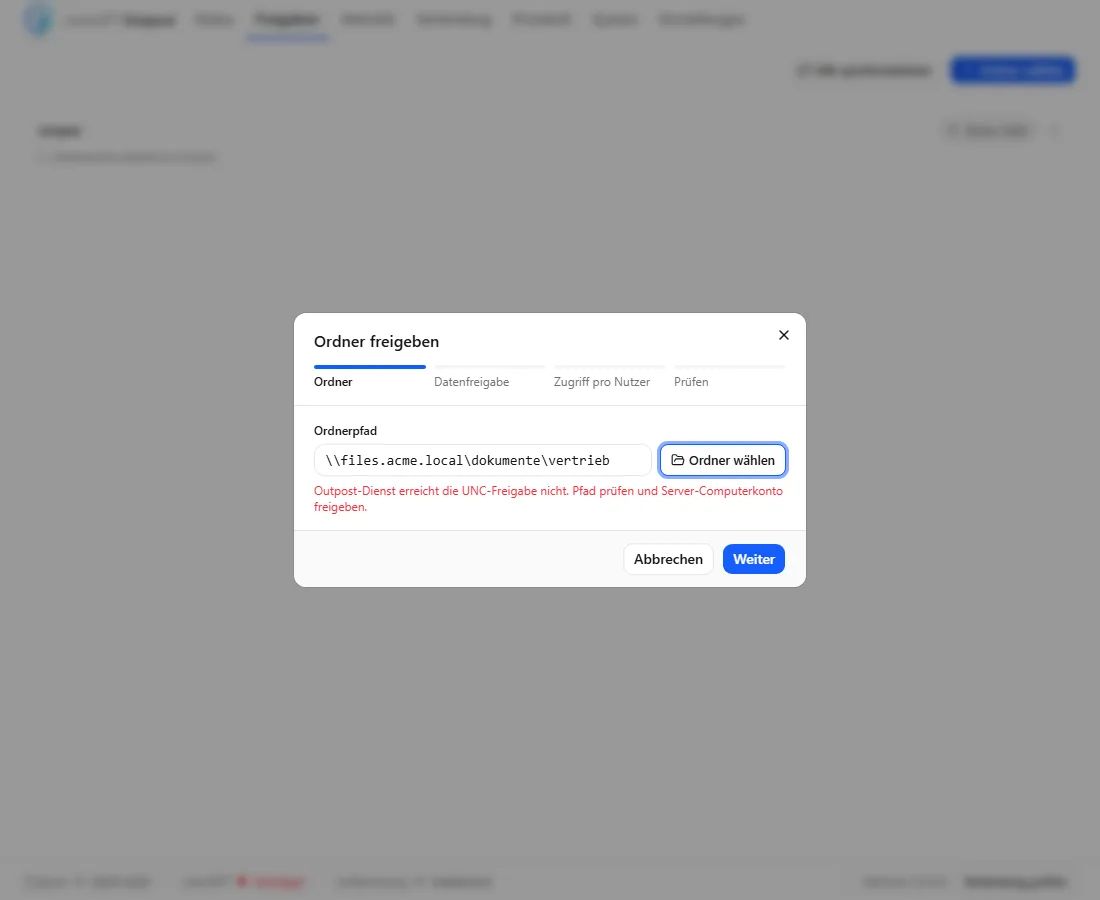
Windows: use the UNC path directly (\\files.acme.local\documents\sales). The Outpost runs unattended as a Windows service under LocalSystem, so a domain file server sees the computer account DOMAIN\HOSTNAME$. Grant that account read access on both the share and the NTFS folder. A mapped drive letter and the signed-in administrator's credentials are not available to the service.
When you save the source, the final access check runs through that Windows service identity. A path that only the signed-in administrator can open is rejected before the source is stored.
Linux: a cifs mount in /etc/fstab that survives a reboot, with ro and credentials from a credentials file.
Share it in the Outpost and adopt it in MeinGPT
From here it is exactly the same flow as a local folder: Shares tab → Share → A folder, enter the UNC path or the mount point as the path, Save. The machine reports the folder itself; in MeinGPT it is used as a source under Shares and then shared.
→ A folder on this machine covers this part in detail.
Runtime identity
Windows: The installed service runs as LocalSystem. Windows automatically uses the computer account DOMAIN\HOSTNAME$ for a domain share; no corresponding password is stored in the Outpost. Give exactly that account read-only access to the folders that should be indexed. If the host is not domain joined or the file server cannot authorize computer accounts, the UNC route is not yet approved for unattended operation — contact us before rollout.
Linux: Put the identity and credentials in the persistent read-only mount. The Outpost itself only needs read access to the mount point.
Share permissions do not travel
NTFS and Active Directory permissions on the share do not apply to the index. Anyone allowed to see the data source in MeinGPT finds every document in it. The mapping share → data source → team is therefore a permissions decision, not a technical formality.
When nothing arrives
The fastest order to work through:
- Can the runtime identity reach the file server? On Windows, both the share and NTFS ACL must include
DOMAIN\HOSTNAME$; on Linux, test the mount as its service identity. Successful Explorer access by the signed-in Windows administrator does not prove access for the service. - Protocol → Events — authentication failures, share-not-found and timeouts appear on the failed synchronization.
- Shares → folder → Source documents — if files arrived but could not be processed, the reason is shown there. Processing shows the index build.